
Floating Button
Chat Copilot Team2025-01-20
Overview
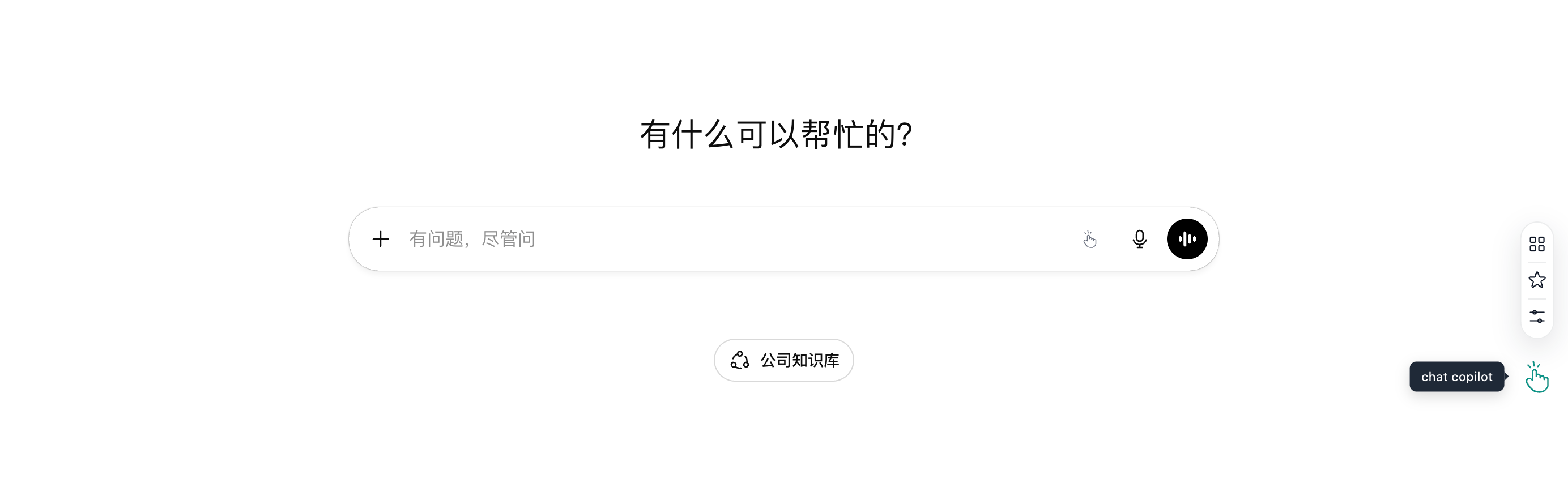
The floating button is a quick entry on supported platforms. It opens the sidebar and core features, and lets you customize click actions and hover drawer items.
How to Use
- Open any supported AI chat page
- The Chat Copilot floating button appears in the lower-right corner
- Click it to open the sidebar and access features like Prompt Plaza and My Favorites
Common Actions
- Open the sidebar: click the floating button
- Quick access: open Prompt Plaza and My Favorites from the sidebar
- Close or collapse: use the close or collapse button in the sidebar
Related Settings
Manage the floating button in: Plugin Panel → Settings → Floating Button.
Display Toggle
Turn on "Show Floating Button" to display the Chat Copilot logo on the right side of AI websites.
Click Action
Configure what happens when you click the floating button:
- No action
- Plugin Settings
- Prompt Plaza
- My Favorites
- Prompt Optimization
Hover Drawer
When you hover over the floating button, a top drawer appears. You can choose which items to show:
- Prompt Plaza
- My Favorites
- Plugin Settings
- Official Website