
Plugin Settings
Chat Copilot Team2025-01-20
Entry
Open Plugin Panel and click "Settings" to access configuration.
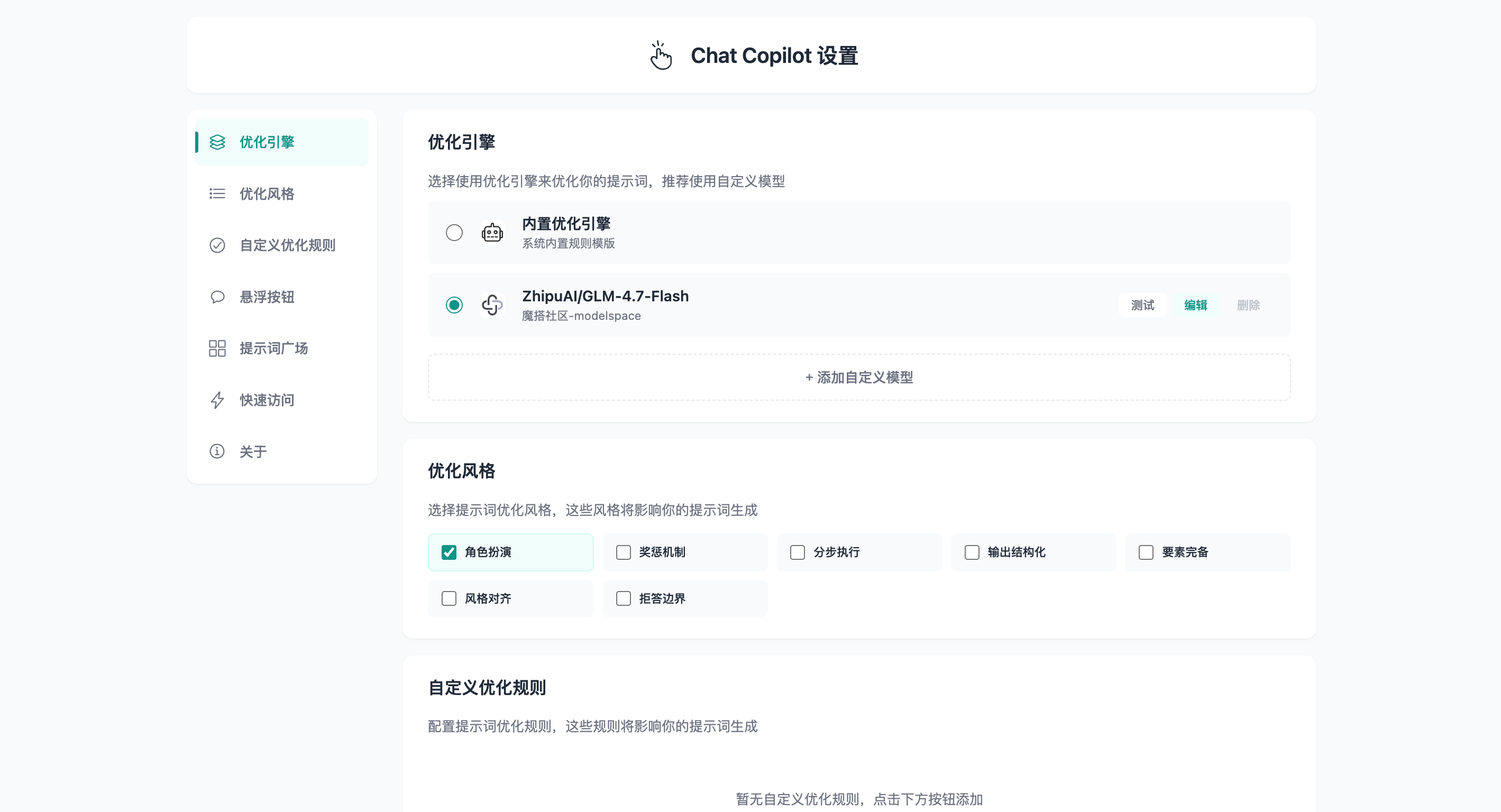
Settings Overview
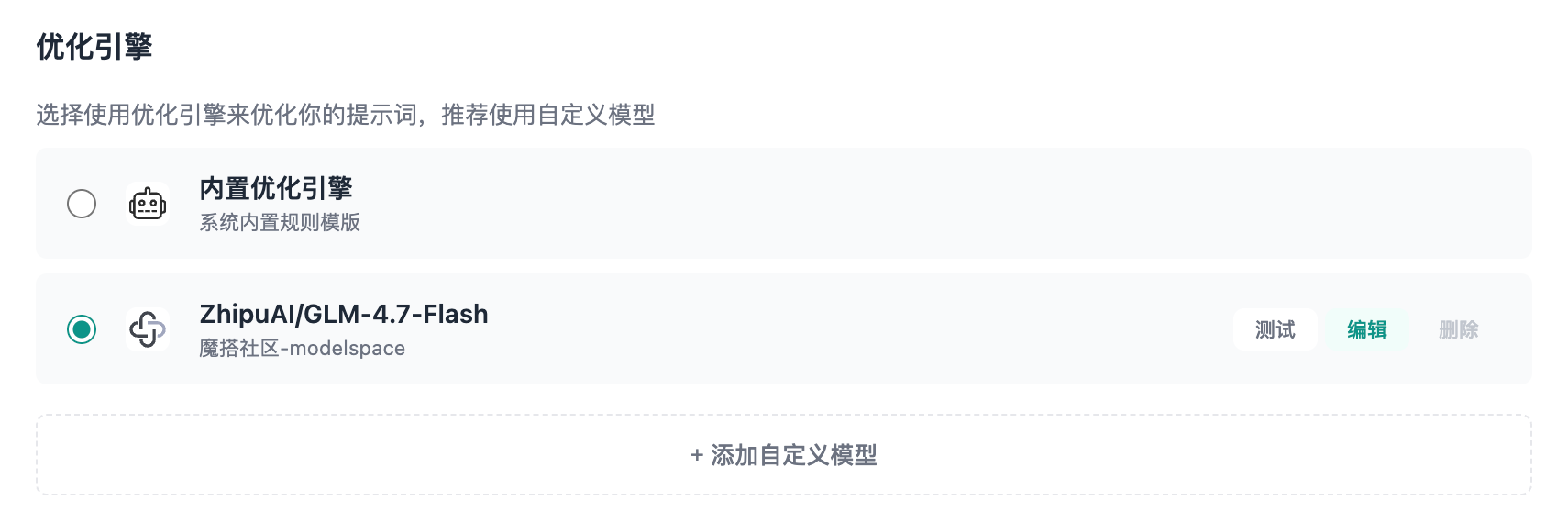
Optimization Engine
Choose the built-in engine or add custom models. You can configure the provider, API endpoint, and API key.
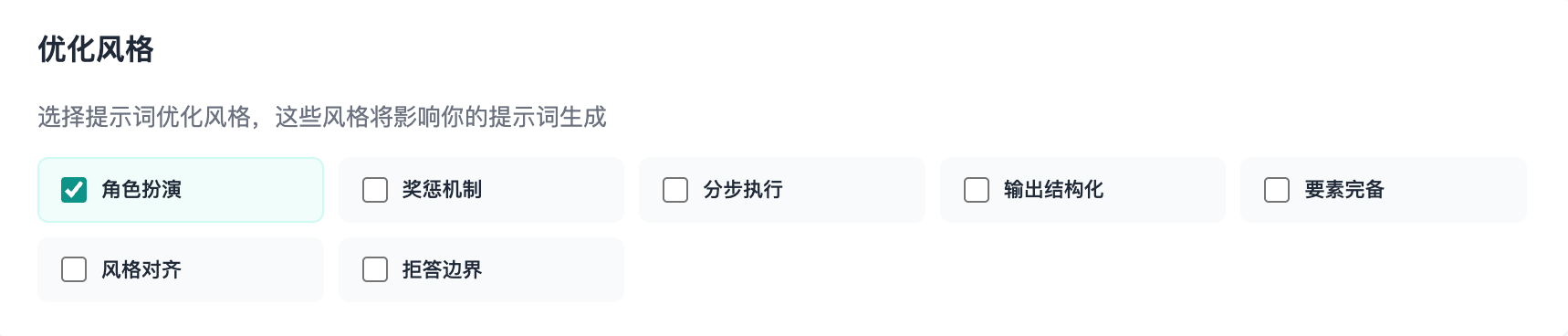
Optimization Styles
Select prompt optimization styles to influence structure and tone.
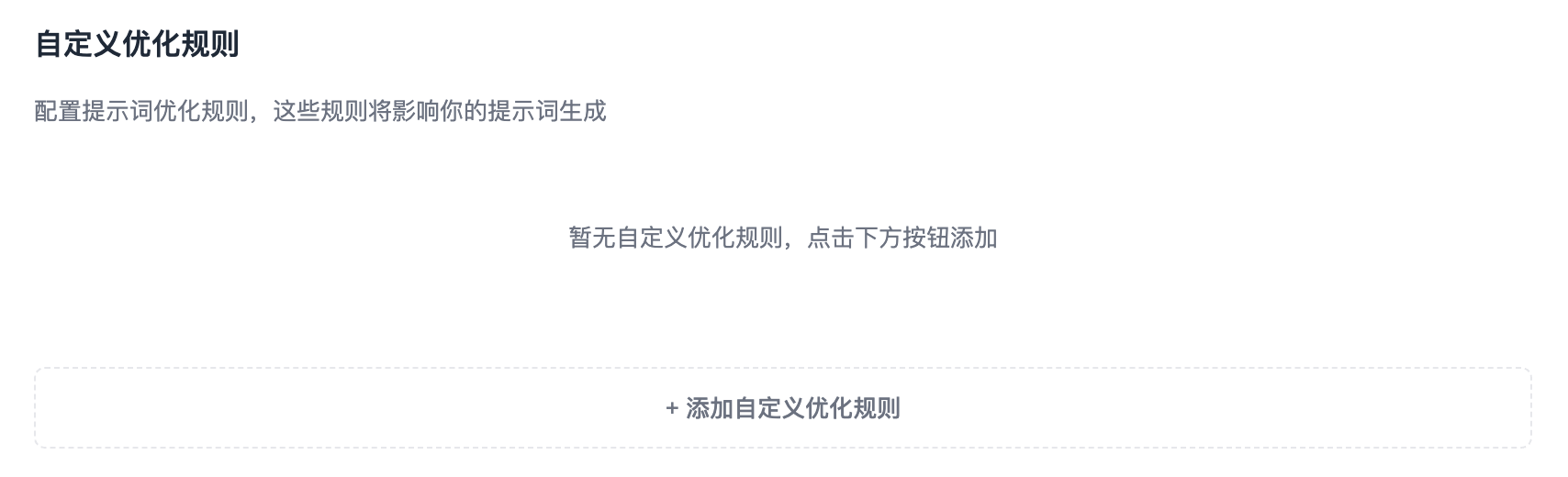
Custom Optimization Rules
Add custom rules that are automatically appended to each prompt.
Floating Button
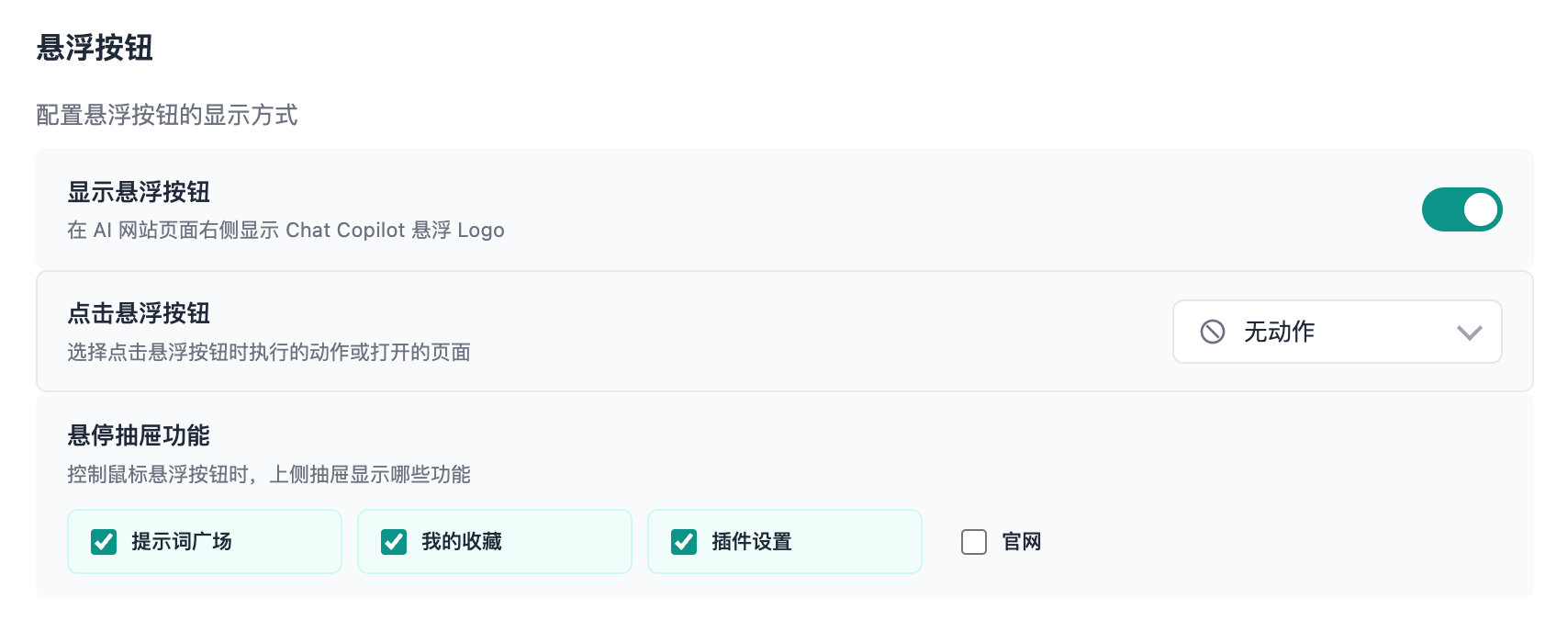
Configure display, click action, and hover drawer items for the floating button.
- Click action options: No action / Plugin Settings / Prompt Plaza / My Favorites / Prompt Optimization
- Hover drawer items: Prompt Plaza / My Favorites / Plugin Settings / Official Website
See details in Floating Button.
Prompt Plaza
Configure the sidebar display mode: push content or overlay. See Prompt Plaza for details.
Quick Access
Choose the sites shown in the Plugin Panel. Supports select all, invert, and reset.
About
View version info and links (website, GitHub, Chrome Web Store, feedback).